
The manager portal
Know who is trained, and who is due.
Assign courses, follow each person's progress, and keep every certificate in one place, ready for your next inspection or audit.
Read our reviews on
See everyone’s progress.
Without chasing anyone.
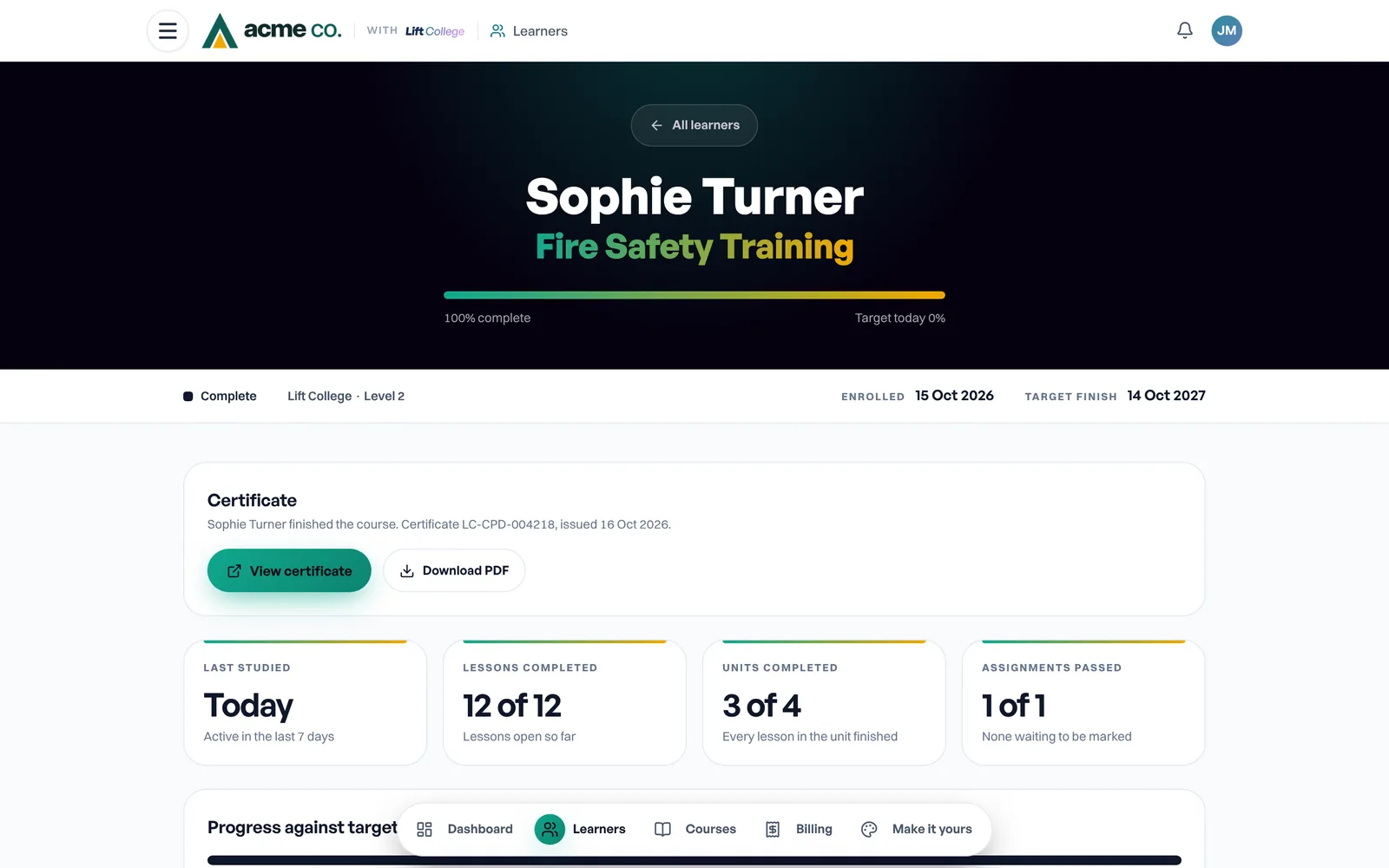
These are the real screens your managers use, shown for an example company, Acme Co., in its own logo and colours. Pick a screen to see it on a desktop and on a phone.
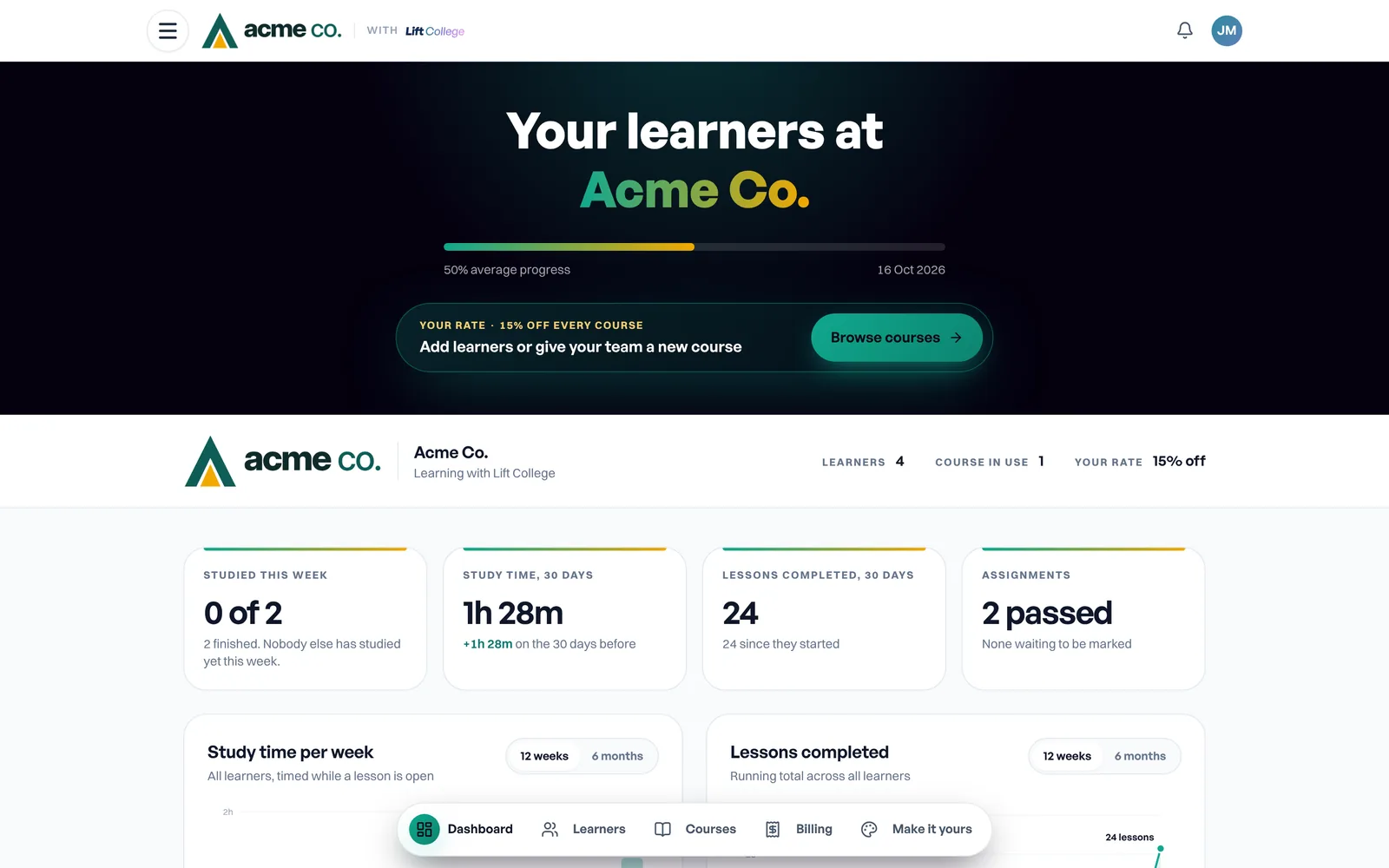
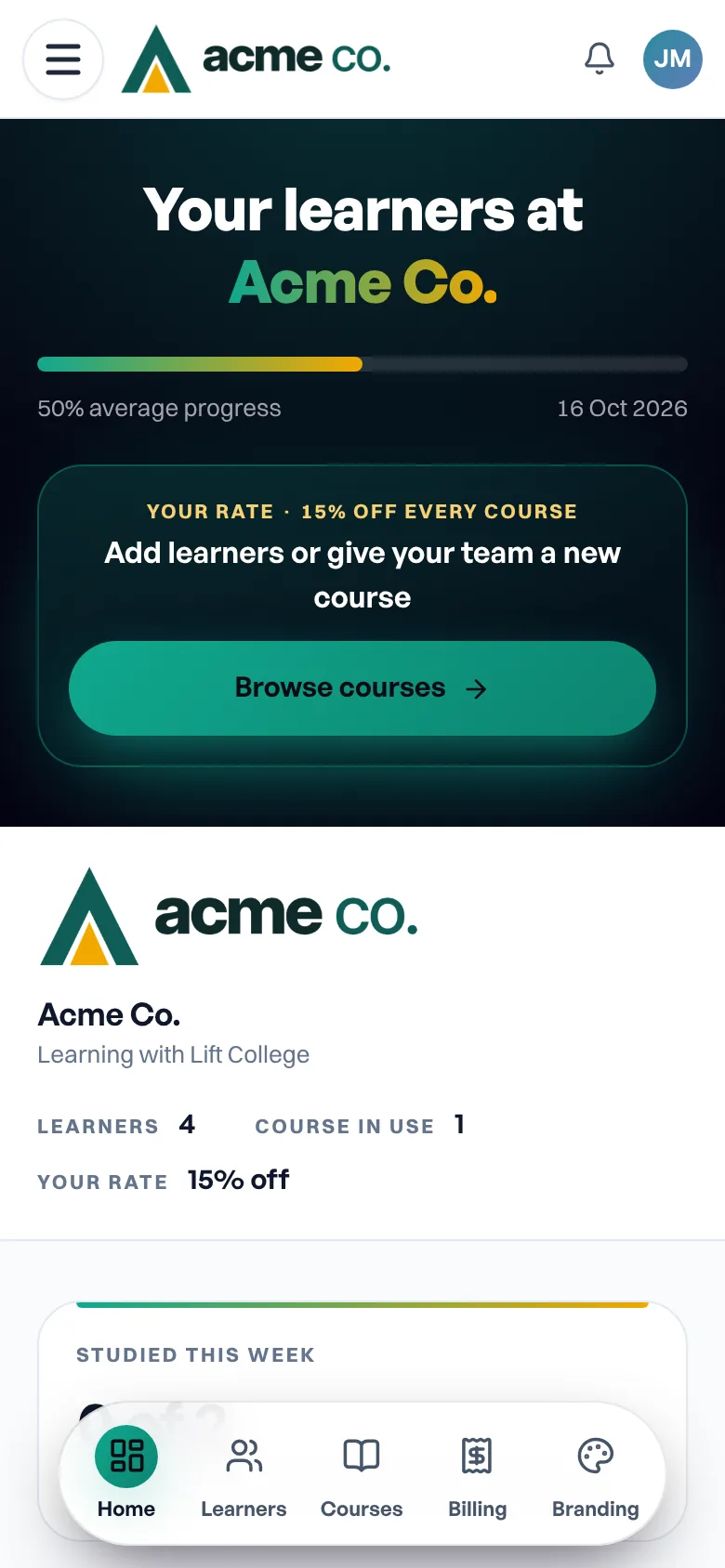
Your team on one screen
- Who studied this week, and how long, timed only while a lesson is open
- Every lesson finished, assessment passed and certificate earned, as it happens
- Who needs a check-in, with a one-tap study reminder
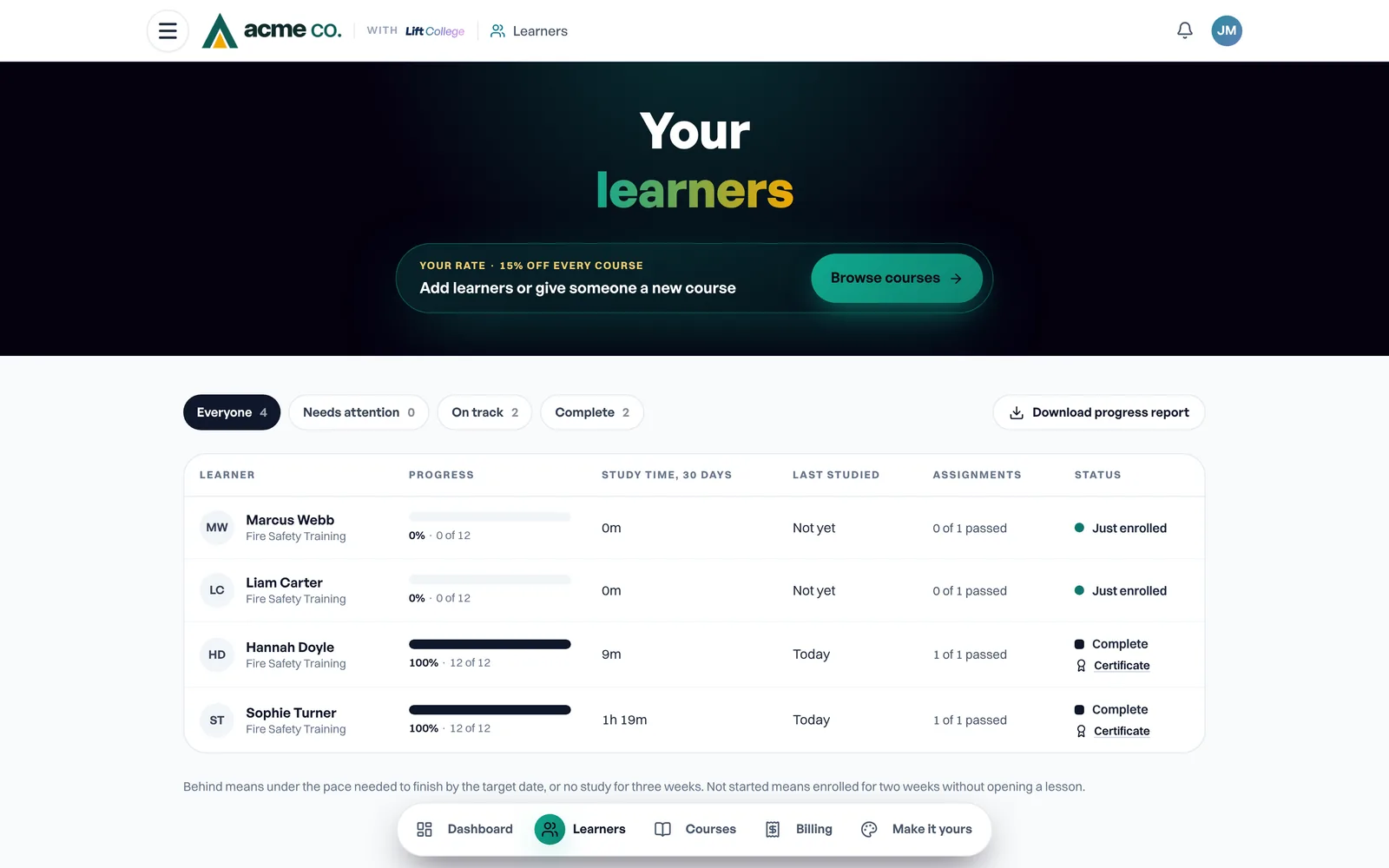
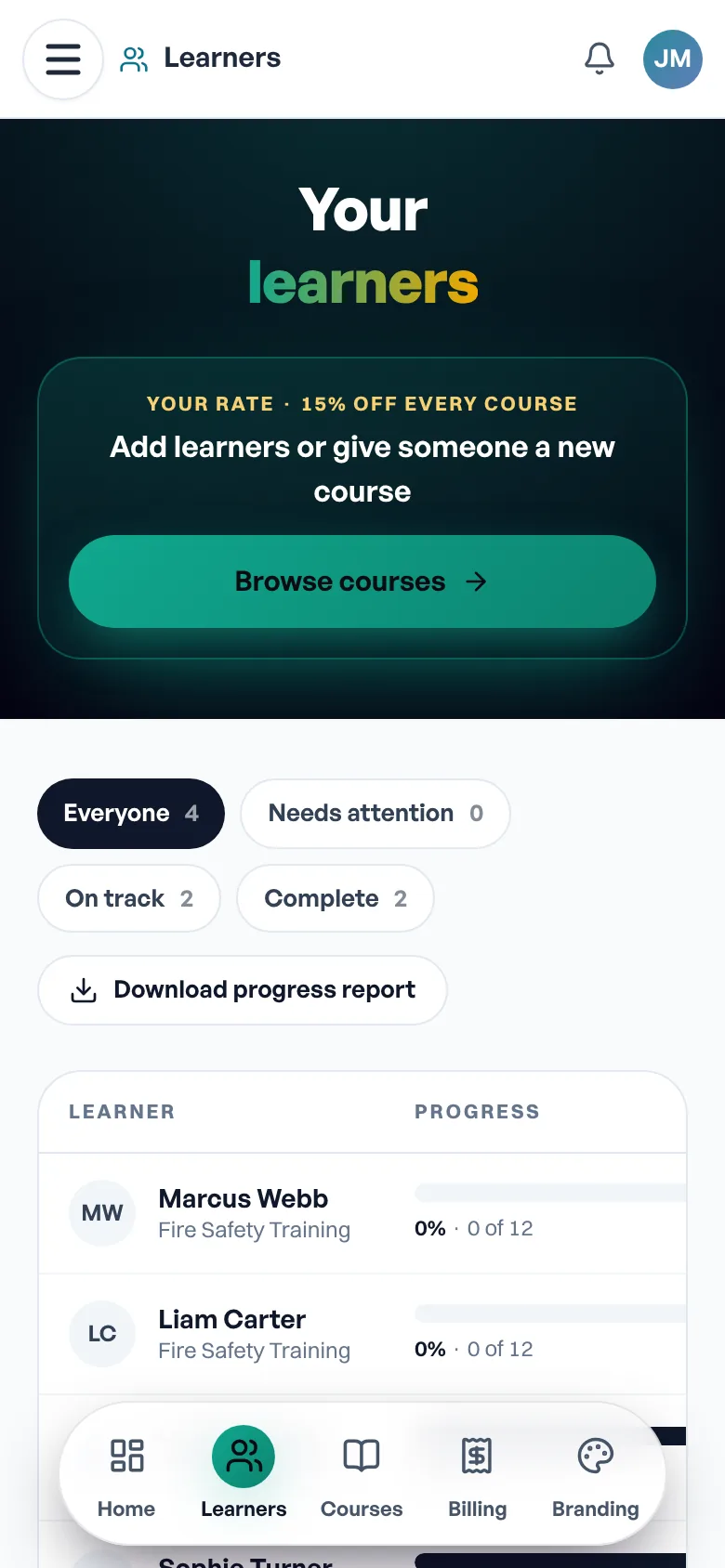
Every learner in one table
- Progress, study time, last studied and assignments for each person
- Filter to Needs attention, On track or Complete
- Download a progress report that opens in Excel
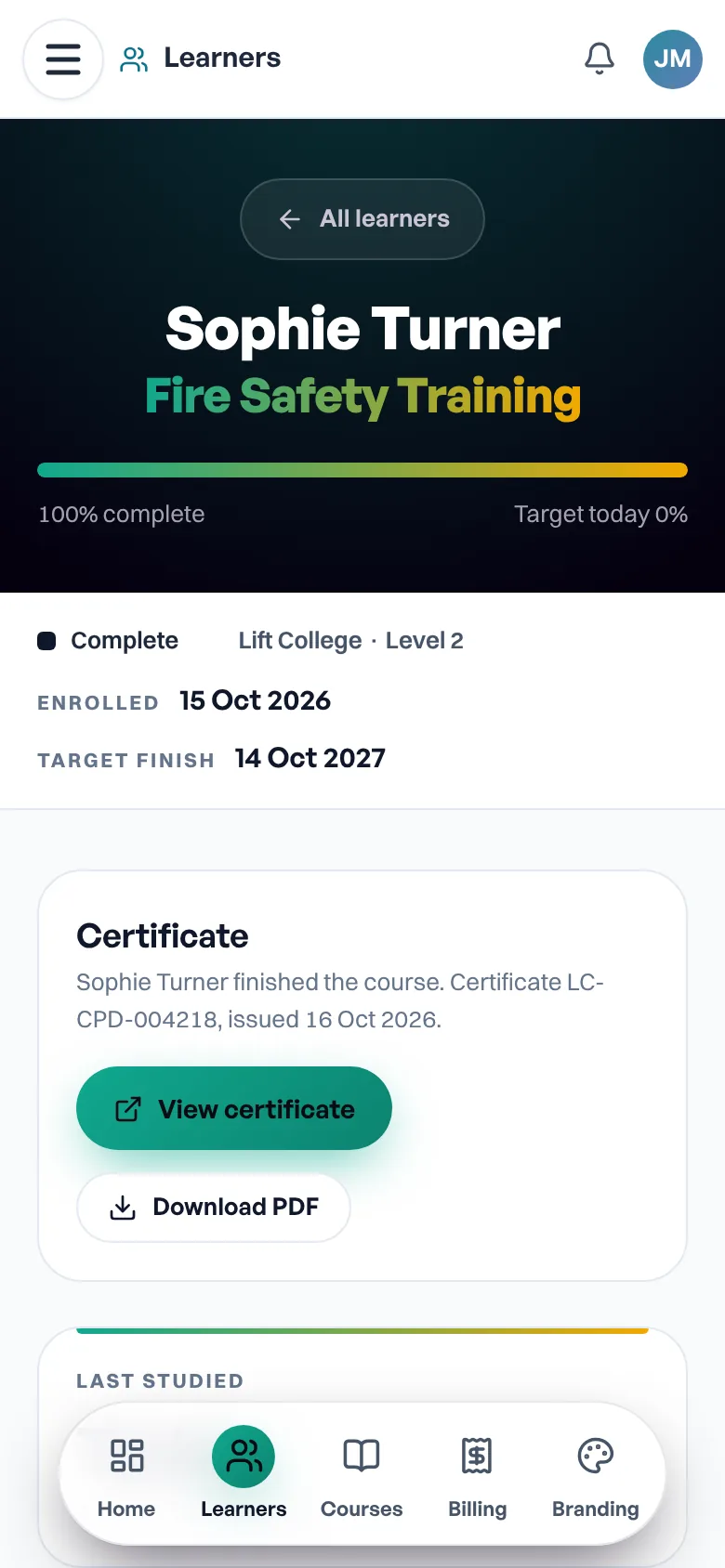
The detail behind each name
- Progress against the finish date you set
- Each unit and assignment as it is completed
- View or download their certificate the day they finish
Written work, marks and tutor feedback stay between learner and tutor.
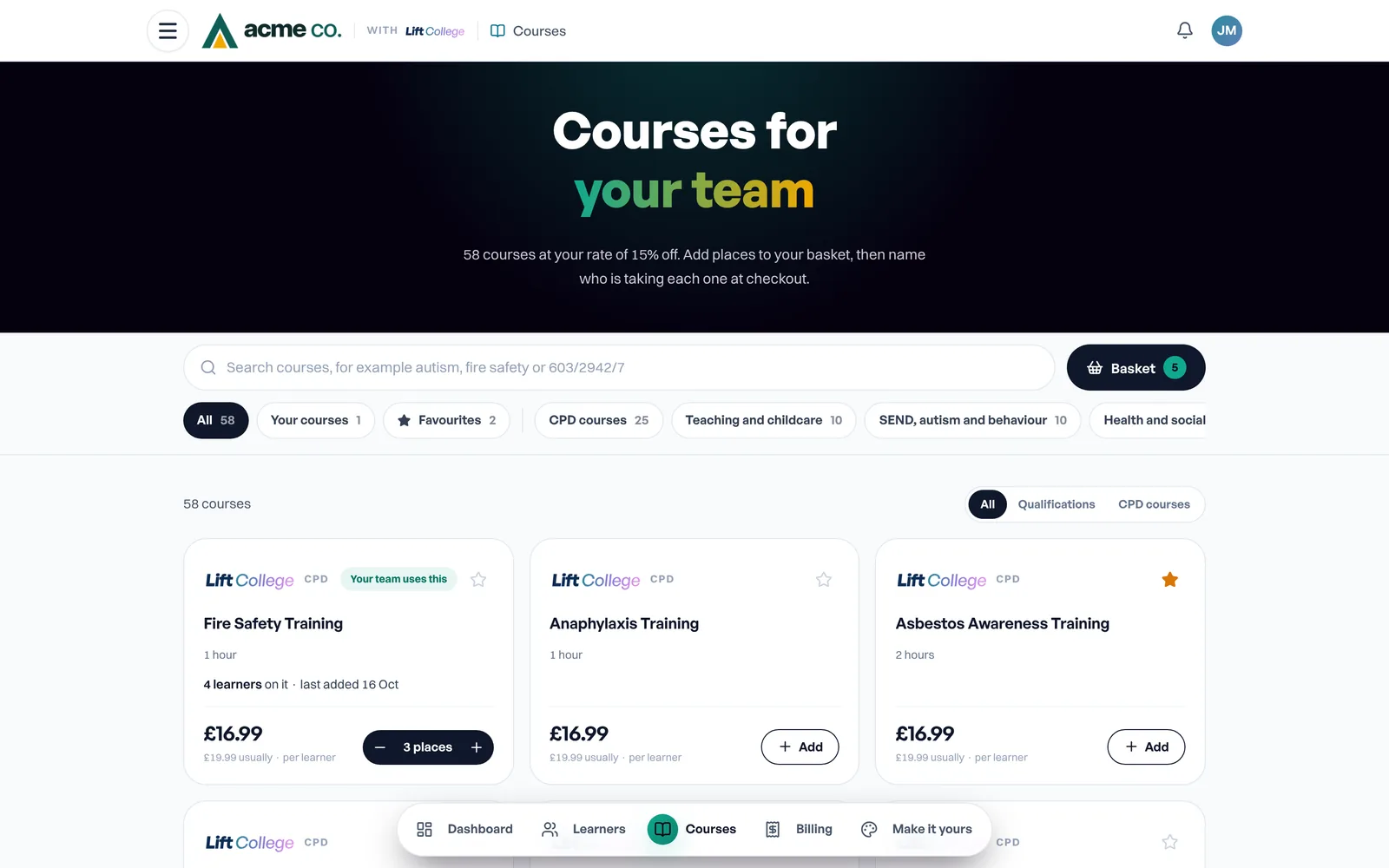
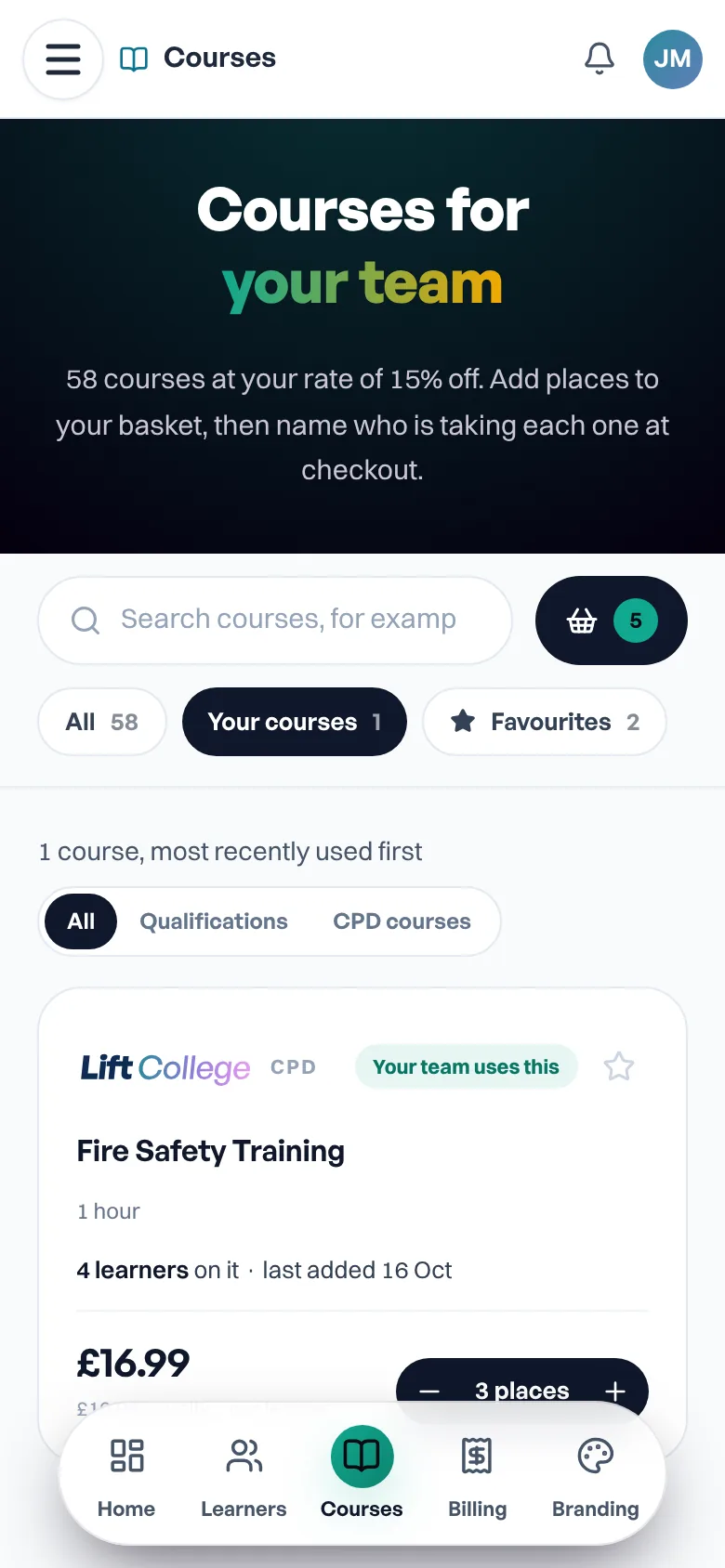
Every course at your organisation price
- Qualifications 10% below the individual price, CPD courses at your volume price
- Your courses first, with how many people are on each
- Star favourites and fill a basket across several courses
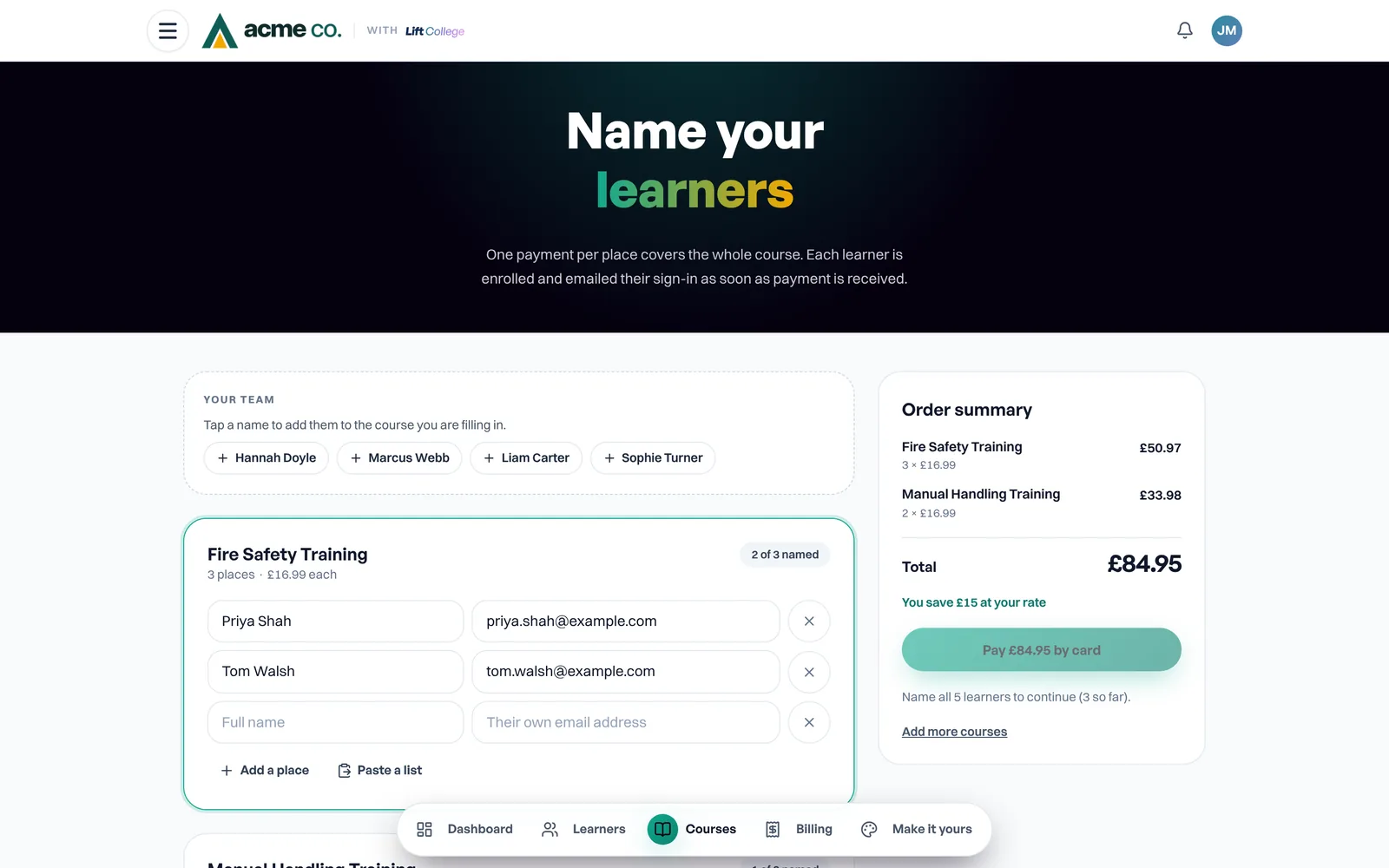
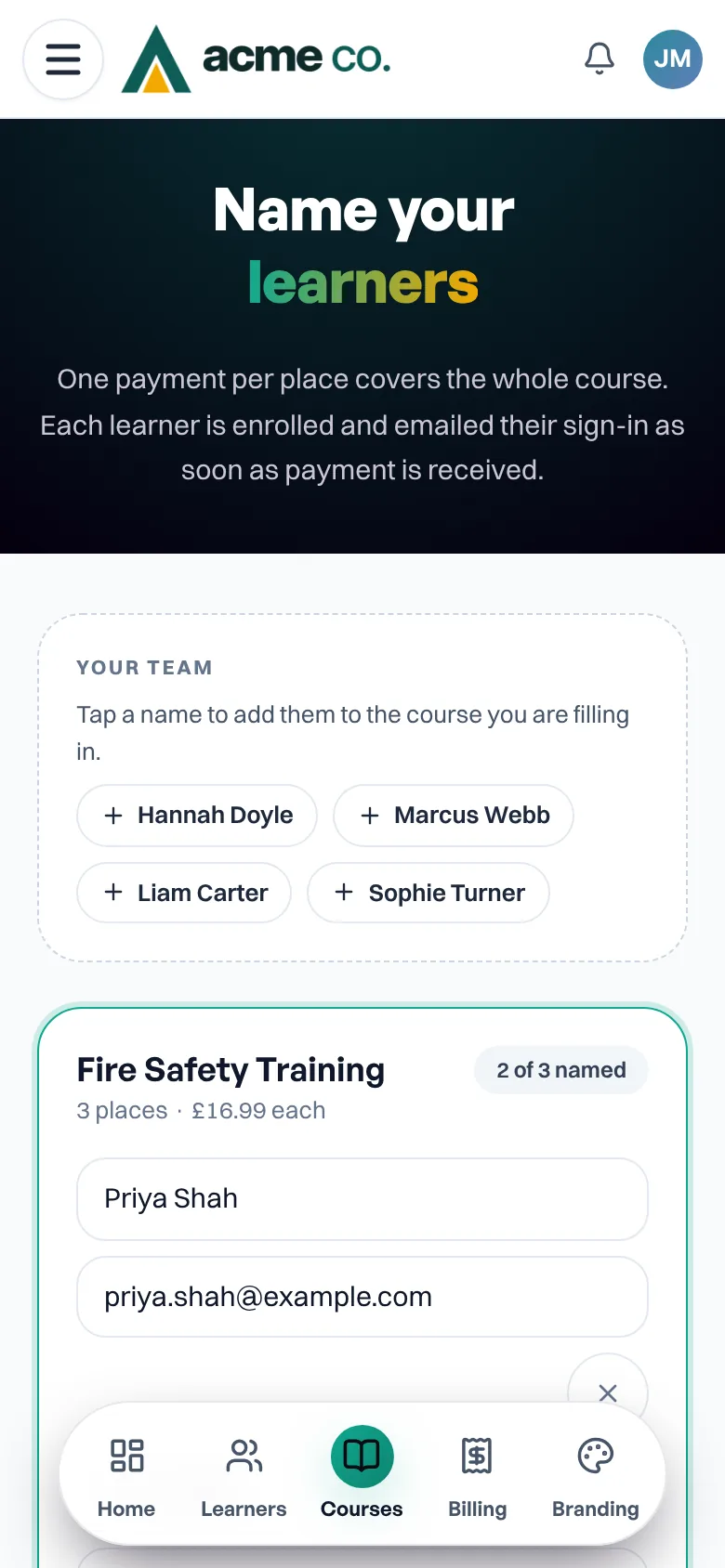
Name your people, pay once
- Name people now, paste a list, or buy places and name them later
- Pay by card, or by invoice on 30-day terms with your PO
- Each person is enrolled and emailed their sign-in for you
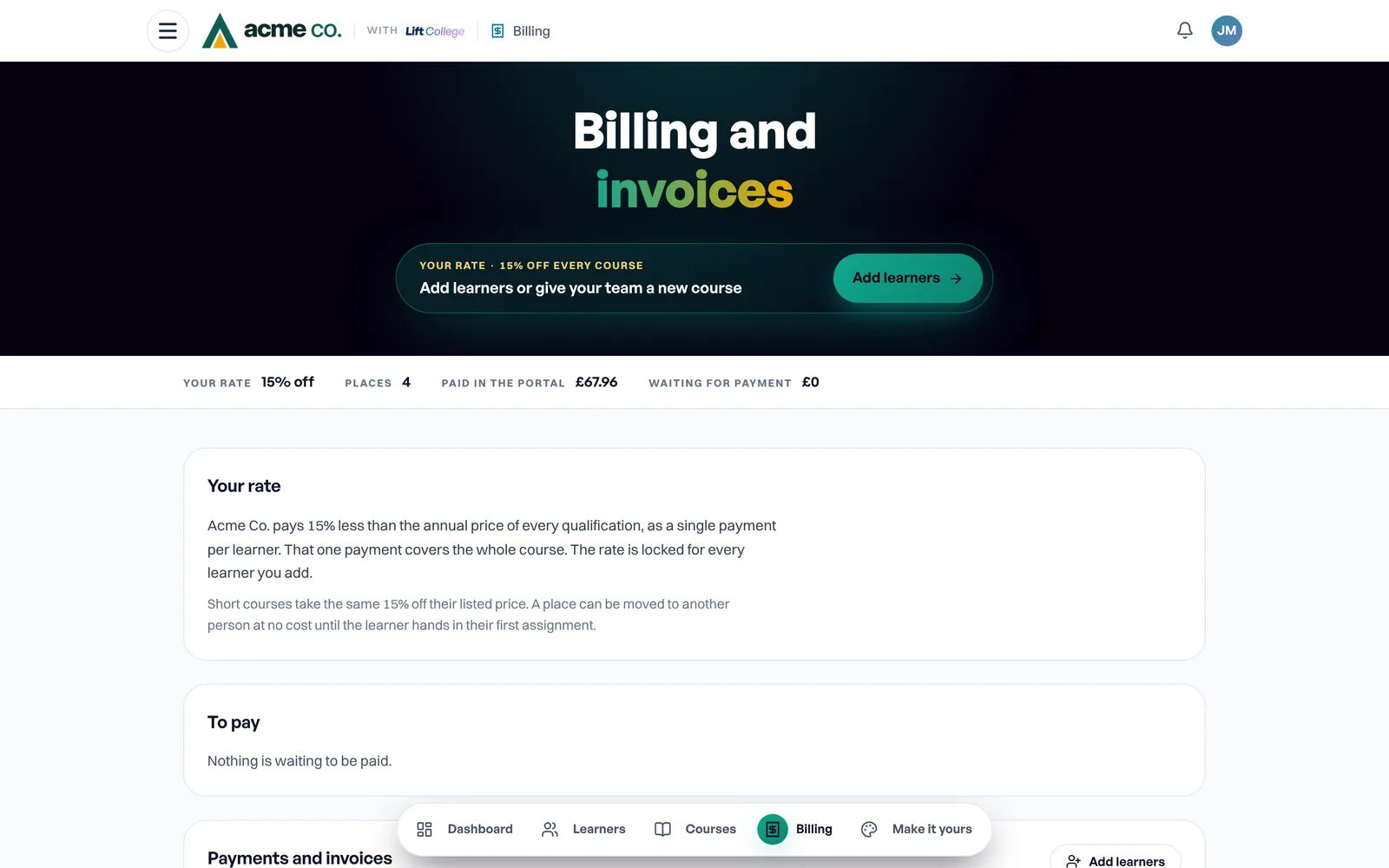
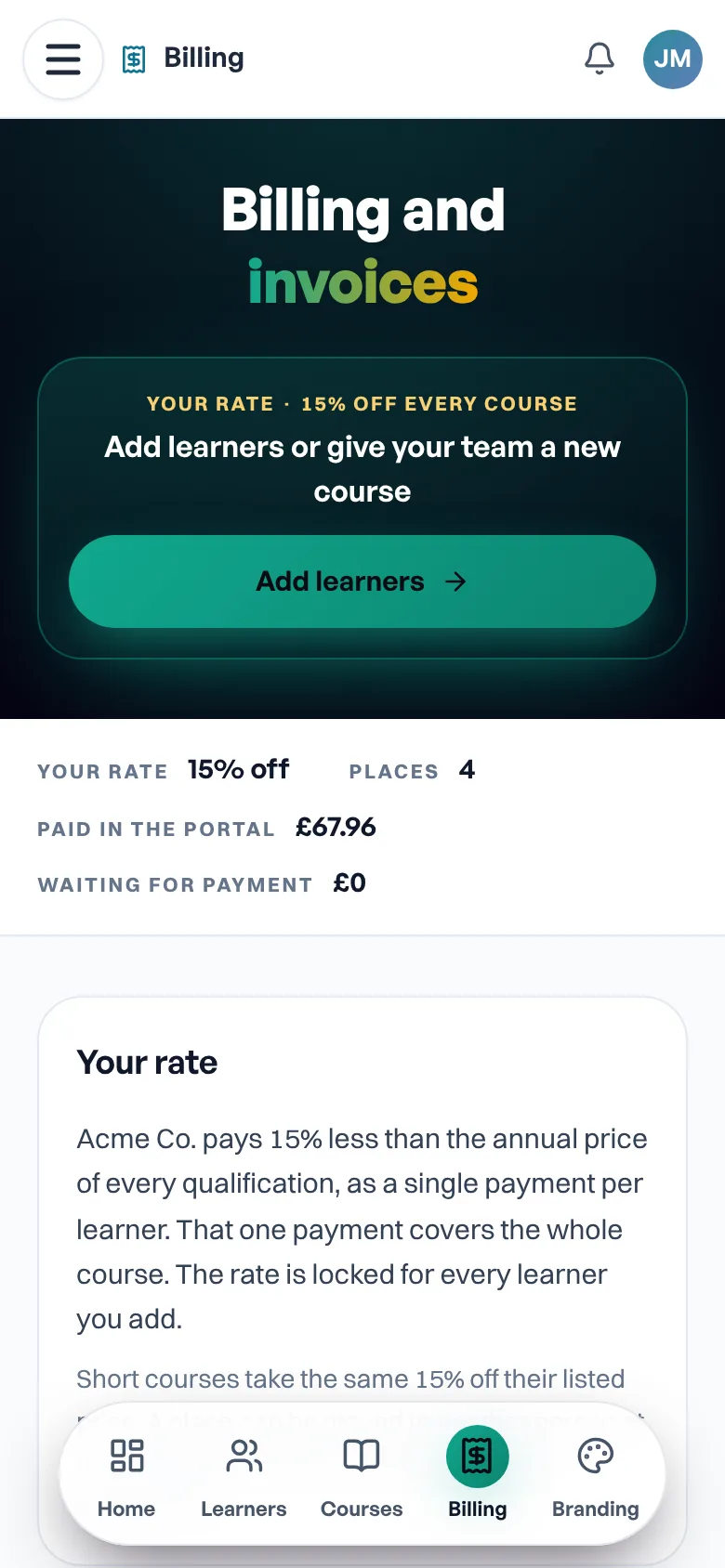
Every order and invoice
- What you have paid and what is waiting
- Who each place went to, and that they were enrolled
- A receipt and an invoice PDF for every order
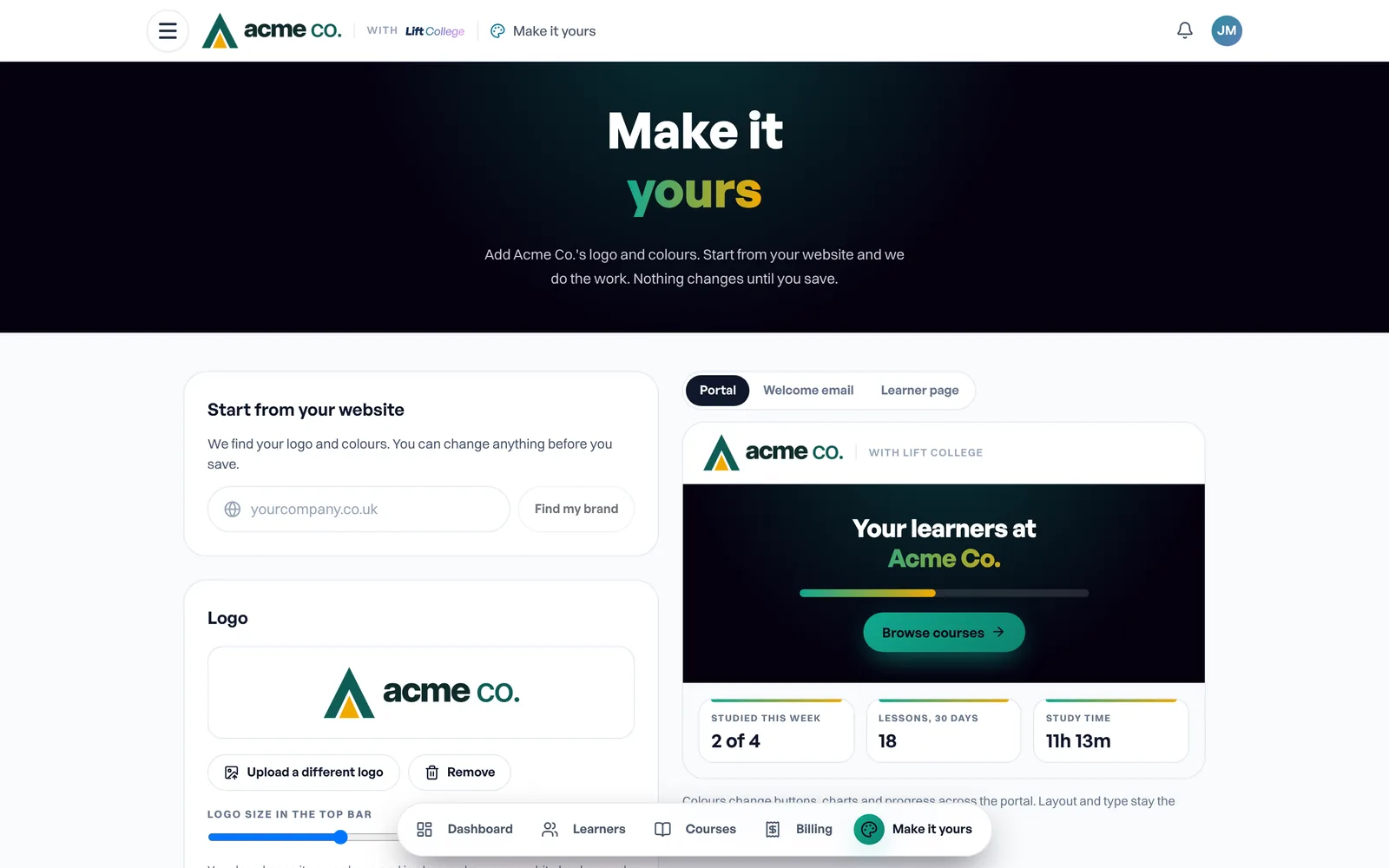
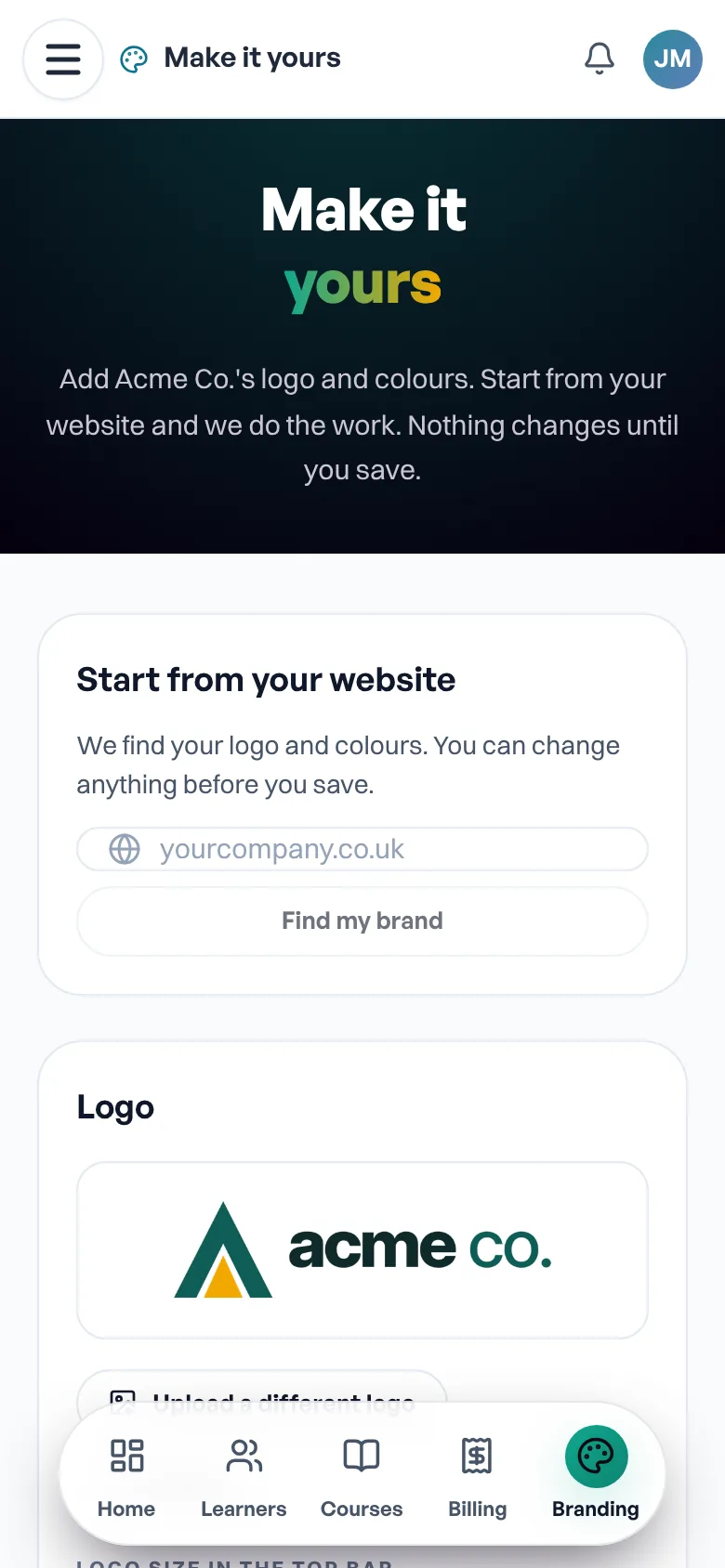
Your logo and colours
- We find your logo and colours from your website
- Preview the portal, welcome email and learner page
- Your learners see your logo on their email and course pages
Everything the person who keeps the records needs
One free organisation account, with the tools a training lead, registered manager or office manager uses every week. No modules to add and no extra fees.
Know where everyone stands
Progress dashboard
See who studied this week, who has finished and who needs a check-in, course by course.
Training matrix
Every person against every course in one grid, with current, due and overdue clear at a glance.
One record per learner
Progress, study time, last studied and results for each person, with a filter for who needs attention.
Excel progress report
Export every learner, course, result and date for your training records, or build a report on the fields you choose.
External training records
Add first aid days, in-person sessions and courses from other providers, so the matrix shows the whole picture.
An email when someone passes
A note to the manager the day a learner completes a course, if you want one.
Keep everyone current
Automatic reminders
A welcome email, a nudge if a course is not started or not finished, and a thank you when it is done, sent for you.
Refresher dates and renewals
Set how often each course needs repeating. See what is due in the next 90 days and renew places in bulk.
A record of every reminder
Each reminder is logged against the learner, so you can show an inspector the steps you took.
Study reminders by hand
Send a nudge to anyone who has stalled, straight from their row.
Set up a whole team in minutes
Spreadsheet upload
Add or update your whole team from a spreadsheet, with job title, site and start date.
Training plans by role
Decide what a care assistant, a cook or a room leader needs, and new starters are enrolled on it the day they join.
Several managers, groups and sites
Give each manager their own learners, with view-only or full access, and see the whole organisation from the top.
Your own fields
Add fields such as site, team or employee number, then filter and report on them.
Buy now, name later
Buy a block of places and give them out as people join.
Documents and policies
Share a policy, mark it as required reading and see who has read it.
Fits the systems you already use
Single sign-on
Staff sign in with the Microsoft or Google account they already have.
API
Keep learners in step with your HR system and pull results into your own reports.
SCORM export
Run our CPD courses inside your own learning platform, if you have one.
Pass marks you set
Raise the pass mark on a CPD course for your organisation, or for one course only.
Evidence an inspector can check
Certificates and verify links
Download any certificate the day someone passes. Each has a number and a public page an inspector can check.
Your branding
Your logo and colours on the portal, learner emails and certificates, free.
Learners keep their certificates
A learner keeps their own certificates if they leave you, and you keep the record that they passed.
Safe, accessible and looked after
Two-step sign-in for managers
A code on top of a password for anyone who can see learner records.
Backed up and monitored
Records are stored in the UK, backed up every night and monitored around the clock.
Works on any device
Phone, tablet or desktop, with nothing to install. Progress is saved as learners go.
Captions and transcripts
Every video has captions and a transcript, and the platform works with screen readers.
A set-up call and a named contact
Someone sets your account up with you, and the same person is there afterwards.
Proof an inspector can check
Each CPD certificate issued by Lift College has a unique number and a public verify page. Download one, or every certificate for a learner, from the portal.
Kept safe, kept in the UK
- Learner records are stored in the UK (London) under UK GDPR, with a data processing agreement on request.
- Only managers who have confirmed their email can add learners, and managers can turn on two-step sign-in.
- Export your learners and progress to Excel at any time.
- A learner keeps their own certificates if they leave you.
Talk to a specialist
Speak to a business development specialist
Want to see the portal with your own courses and people in it? Leave your number and one of our specialists calls you back within one working day.
- A written quote in your organisation’s name if you need one
- Help choosing qualifications and CPD courses by role
- Invoice, PO and set-up questions answered
See the portal before you pay
Your free account opens with example learners, so you can try every screen on this page first.